
End of Watch AI Video Generator
Make the End of Watch AI video from your photo. You stand at the navy lockers and hold up the pistol, the flashlight, the knife and the cuffs, one by one, and your partner leans in at the end.
You and your partner
- No app, no prompt
- A failed video is given back
On TikTok
End of Watch AI videos on TikTok
Two AI versions posted at the end of October and the start of November: a young man in a grey tee, and a face in skeleton make-up with the partner beside him. Same lockers, same gear, same order. If this is what sent you here, you are in the right place.
Both are AI versions posted on TikTok, credited to whoever posted them. We did not make them. Yours is made from your own photo, on the scene at the top of this page.
The meme
What is the End of Watch meme?
The End of Watch meme is a scene from End of Watch, a 2012 police film with Jake Gyllenhaal and Michael Peña. In a station locker room, an officer in a white T-shirt holds his duty gear up to the camera one piece at a time, and at the end his partner leans into the shot.
It became a TikTok trend in August 2023. One post of the scene, with “my boyfriend is 6’5 and can fight” on the picture, passed 5.8 million plays, and the joke was the gear: nobody needs to fight with all that on his belt. People then filmed their own take to the same sound, holding up a lifting belt at the gym or kitchen tools behind a burger counter.
The End of Watch AI version came next. Since August 2026 people have used AI to put someone else in the locker room, from cartoon characters to friends and Halloween make-up. Here you put yourself in it, from your own photo. End of Watch AI is an independent tool and has no link to the film or its makers.
The End of Watch locker scene, move by move (stills from the clip at the top of this page)
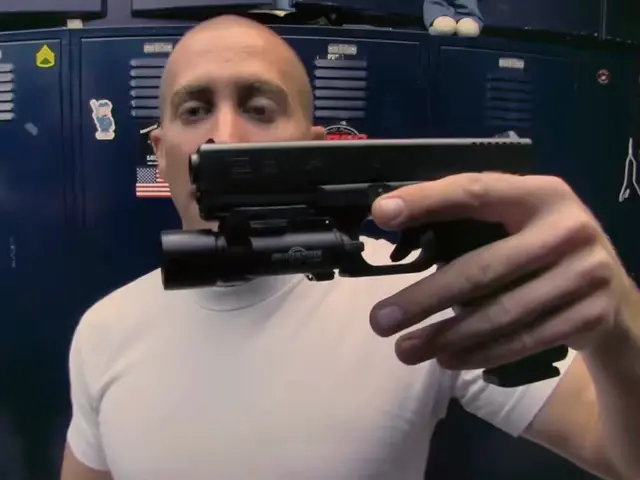 1
The pistol
Held sideways, right up to the lens.
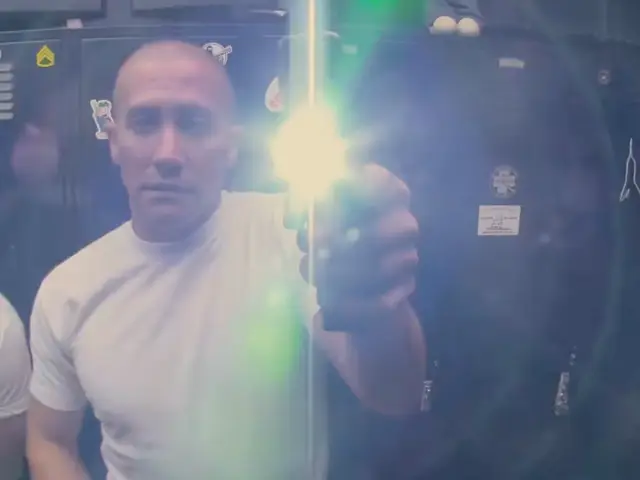 2
The flashlight
Switched on and aimed into the camera until the picture flares white and green.
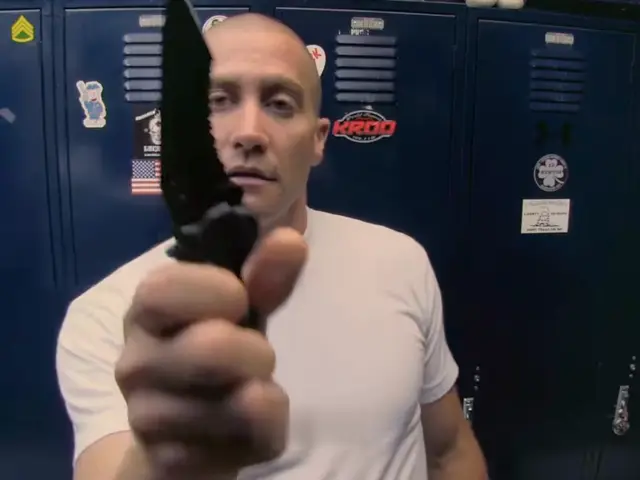 3
The knife
A black folding knife, held up blade first.
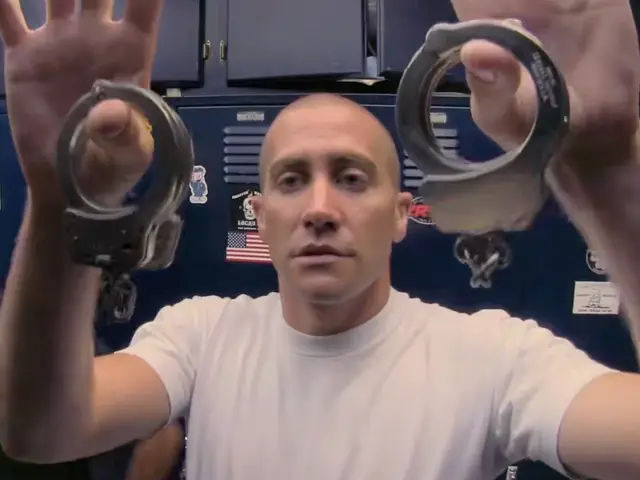 4
Magazines, then cuffs
Two magazines, one in each hand, then the handcuffs held up wide.
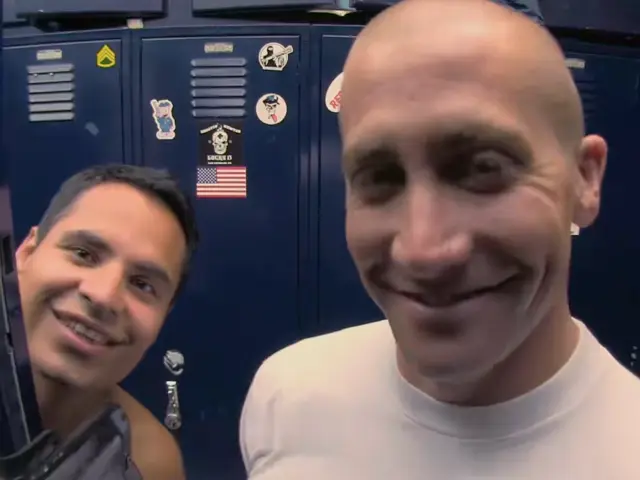 5
The partner
The camera turns to the shelf, then the partner leans in from the left and both grin.
Three steps
How to make the End of Watch AI trend video
You need no locker room, no camera and no gear. The scene, the gear and the flash come with the clip, so your part is the photo.
- 01
Add your photo
One person, face clear, for the one who holds up the gear. Add a second photo for the partner who leans in, or switch to One photo of you both and add a single picture of the two of you.
- 02
Press Make my End of Watch AI video
Tick the box to confirm you have the right to use the photos. There is nothing to type and nothing to set. Your photos and the tick stay put if you sign in or pay first.
- 03
Download and post
The video lands in My videos, ready for TikTok, Reels or Shorts. Switch on the AI-generated label before you post.
Your photo
Which photos work for the End of Watch AI template
Most of the clip is a close-up: your face is about a hand’s length from the lens. So the photo that works is a sharp, front-on face in good light. The AI copies what it can see, so the clothes in your photo are the clothes in the video.
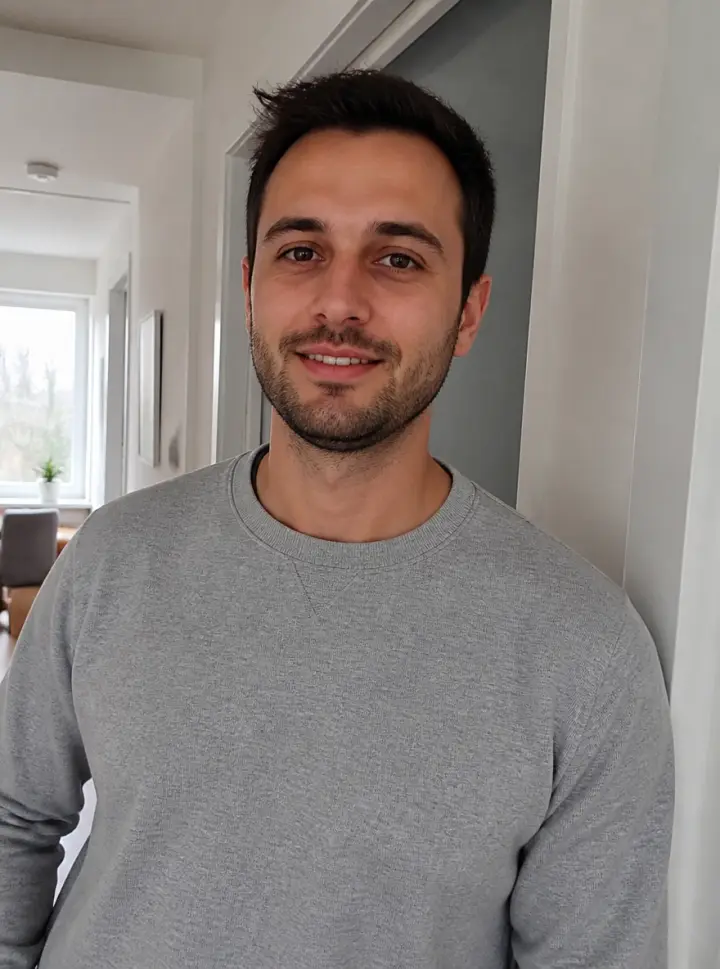
Face clear, good light - Try thisFace a window or a lamp so the light falls on your face.
Face in shadow - Try thisUse the photo straight from the camera, without a beauty filter.
Heavy filter - Try thisGet closer: your face should be easy to see.
Too far away
Cleared for duty
- One person per photo, or one photo of you both side by side
- Face sharp and turned to the camera
- Waist-up or closer
- Daylight or a bright room
Leave in the locker
- Sunglasses or a hand over the face
- Small faces far in the background
- Heavy filters
- Faces turned away
Who to put in the locker room
The 6’5 boyfriend
The 2023 posts ran under “my boyfriend is 6’5 and can fight”. Put him in and let the gear answer.
Your gym partner
One 2023 version was filmed at the gym with a lifting belt and bands. Now your spotter gets the real kit.
The coworker behind the counter
Another was filmed behind a burger counter with kitchen tools. Cast the one who runs the grill.
Your Halloween make-up
A skeleton face in the locker room is one of the AI versions. Use a photo of your own costume.
Why here
Why make your End of Watch locker scene here
The locker scene from the trend
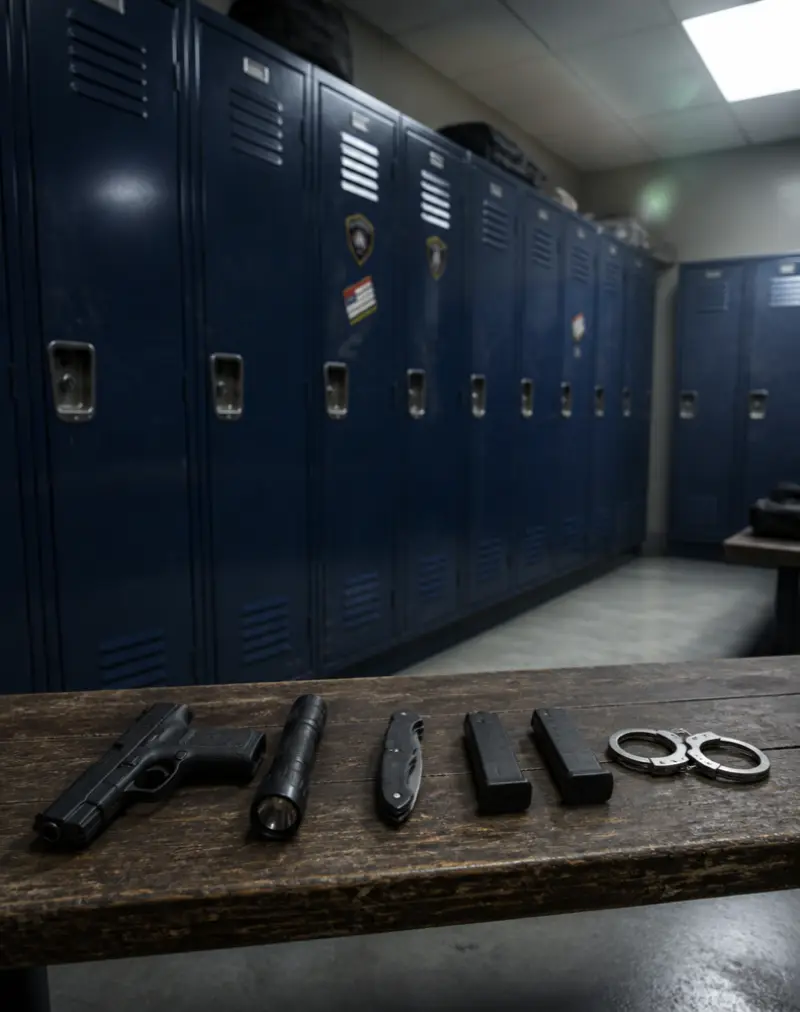
The pistol, the flashlight into the lens, the knife, the magazines, the handcuffs and the partner: the order, the cuts and the sound come from the clip people post.
Your partner can lean in
Add a second photo and the partner at the end is someone you know. Leave it empty and the film’s partner stays. One photo of you both works too.
Faces drawn before the video
The two shots with faces are drawn from your photos first and checked against them, then the video is made from those, so the close-ups start from your face.
Your clothes, not his white tee
You wear what you wear in your photo. The white T-shirt from the scene is used only when your photo does not show your clothes.
Made on your phone
No app, no camera setup, no props and nothing to type. Add a photo, tick the box, press the button.
Your photos, your call
Your photos stay with your video and are deleted when you delete it. If a video fails, it goes back to your account on its own.
Background
Where the End of Watch trend came from
Dates and plays come from the TikTok posts and Google, as of November 4, 2026.
- 2012
The film
End of Watch comes out. The locker room scene is a few seconds of an officer showing his gear to the camera before a shift.
- August 10, 2023
The 6’5 boyfriend
@xylofiles posts the scene with “my boyfriend is 6’5 and can fight” on the picture. It passes 5.8 million plays, and the comments answer with lines like “Yk 6’5 dudes have guns too”.
- August 16, 2023
Your own gear
People film their own version to the same sound. A gym take with a lifting belt and bands passes 800,000 plays, and one from behind a burger counter passes 600,000.
- August 5, 2026
The first AI version
An AI video puts someone new in the locker room, with the same gear in the same order. It passes 90,000 plays.
- October 29, 2026
The AI wave
AI versions with cartoon characters, a robot and skeleton make-up follow within days, and the comments ask “What ai did you use” and “how do u make this”.
- November 3, 2026
Searched with AI
“End of watch ai template” and “end of watch ai video” show up in Google’s suggestions in the US.
Posting
Posting your End of Watch AI video
The captions on these are one short line, usually a joke about the gear or a note that it is AI, plus a few tags.
Captions people use
- my boyfriend is 6’5 and can fight
- “End of watch” trend 👮🏻
- Fake gun • AI-generated scene • Original scene: End of Watch (2012)
Tags on these posts
- #endofwatch
- #lockerscene
- #lockerroom
- #endofwatchedit
- #jakegyllenhaal
- #faceswap
Want the background first? Read where the End of Watch trend came from or how to make an End of Watch AI video.
Before you post
Say it is AI
Switch on TikTok’s AI-generated content label. One AI version also says it in the caption: AI-generated scene, original scene End of Watch (2012).
Tag your partner
The comments under these posts are mostly people tagging friends, so tag the one who leans in at the end.
Use the words people search
People look for these as end of watch tiktok trend and end of watch ai video. Put one of them in your caption.
Pricing
Pick your pack
Pay once, no subscription. Videos you have not made yet never expire.
Standard
$9.90
A regular video
- Widescreen MP4 with sound, like the film
- No watermark
- Never expires
- One-time payment, no subscription
HD Duo
$19.90
Better, more reliable results
- Widescreen MP4 with sound, like the film
- No watermark
- Never expires
- One-time payment, no subscription
HD Five
$39.90
Better, more reliable results
- Widescreen MP4 with sound, like the film
- No watermark
- Never expires
- One-time payment, no subscription
Questions
End of Watch AI FAQ
Is this the End of Watch locker scene from TikTok?
Yes. It is the locker room scene from End of Watch that the 2023 posts and the AI versions use: the pistol, the flashlight in the lens, the knife, the magazines, the handcuffs and the partner leaning in. Your End of Watch AI video keeps that order and the sound from the clip.
Will it look like me?
It starts from your face, and most of the clip is a close-up, so the photo decides it. A sharp, front-on face in good light works best. Sunglasses, filters and small faces in the background do not.
Do I need an app or an End of Watch AI template?
No. The End of Watch AI template is already set up on this page: the scene, the gear, the cuts and the sound. You add a photo and press the button, on a phone or a computer.
What is the song in the End of Watch meme?
The 2023 posts use a rap track that people in the comments name as Twirlanta. Your End of Watch AI video keeps the sound from the clip.
What is the difference between Standard and HD?
Both make the same End of Watch AI video: same scene, same gear, same sound. Standard renders at 480p and HD at 720p, so faces come out sharper in HD, which shows in the close-ups. The pack you buy sets it, and if you have both, HD is used first.
What happens to my photos?
They are used only to make your video. They stay with that video in My videos and are deleted when you delete it; a photo you add and never use is erased within a day. Your video is private unless you share it, and none of it trains any model.
Can I put my boyfriend or a friend in as the partner?
Yes. Add a second photo in the Partner box and that person leans in at the end. With one photo of the two of you, the one on the left holds up the gear and the one on the right is the partner. Leave Partner empty and the partner from the film stays.
What will I be wearing?
What you wear in your photo. The white T-shirt from the scene is used only when your photo does not show your clothes, so a waist-up photo in your own top keeps you in it.
Can I hold up my own things, like the 2023 versions?
Not here. The gear comes from the scene, so you hold up the pistol, the flashlight, the knife, the magazines and the handcuffs. The 2023 versions with gym belts and kitchen tools were filmed by people themselves.
Will it fit TikTok?
Yes. The video keeps the wide frame of the film, so TikTok shows it with bars above and below, the way the AI versions there are posted. Switch on the AI-generated label when you post.
How long does it take?
Most videos are ready in 5 to 10 minutes. You can close the page: the video waits in My videos, and we email you when it is done. There is no watermark from us.
Is this official?
No. End of Watch AI is an independent tool. It is not connected to the film, its studio or cast, the TikTok creators behind the trend, or TikTok. Mark your video as AI-made when you share it.
Your turn at the locker
One photo and a few minutes to your own End of Watch AI video.
Make my End of Watch AI videoEnd of Watch AI is an independent, unofficial tool. It is not affiliated with the film End of Watch, its studio, makers or cast, the TikTok creators behind the trend, or TikTok, and none of them endorse it. Clips shown here belong to the people credited. Every video made here is AI-generated: say so when you share it. Rights holders can write to support@endofwatchai.app.